Role
UX Researcher & Designer
Project Duration
January - March 2026
Focus
Design Systems
AI Co-Working
Facebook Marketplace`
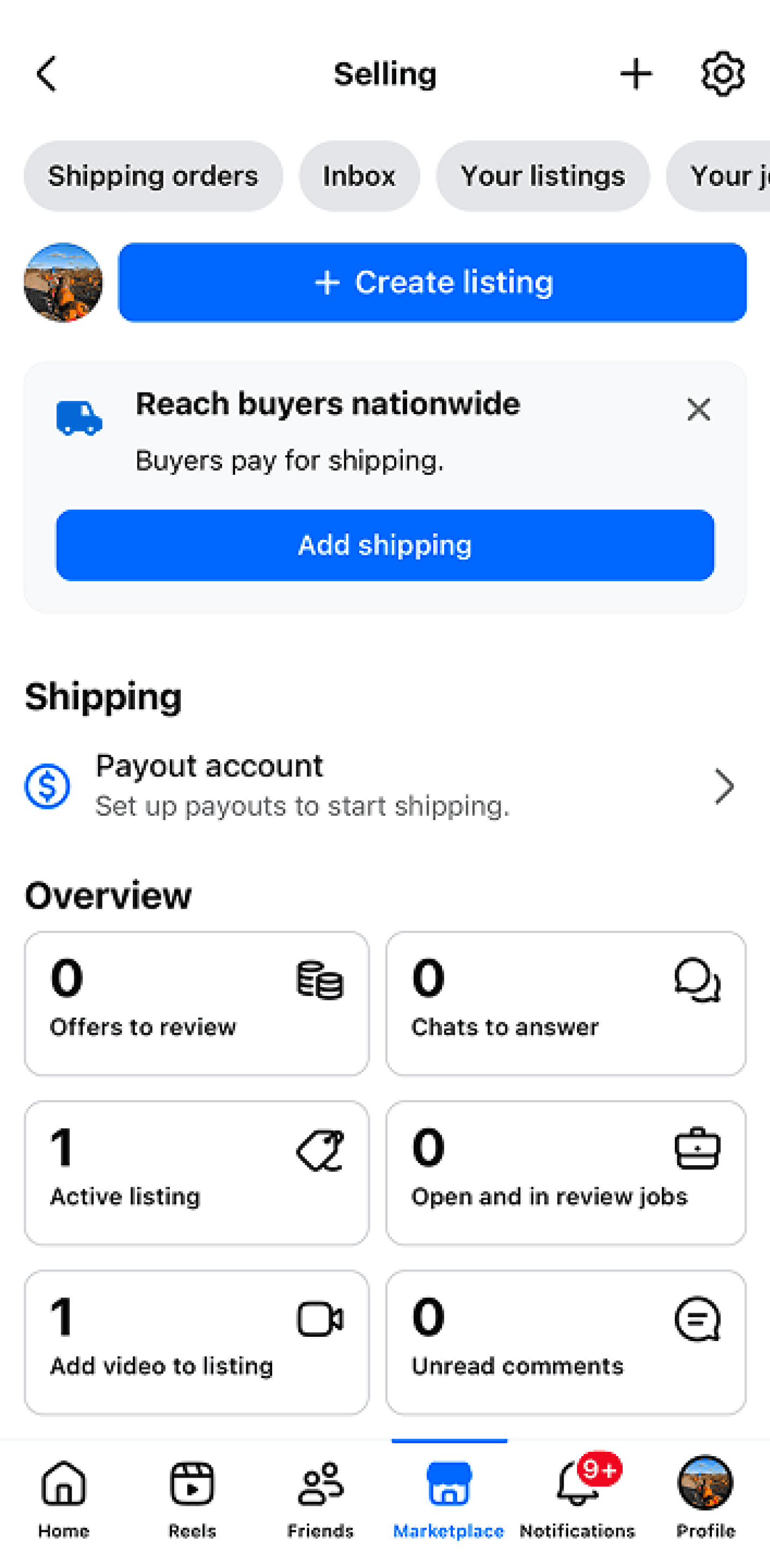
Clear overview of updates for seller
Sorting options at top
Clear CTA for creating listing
Extensive subpages
Depop
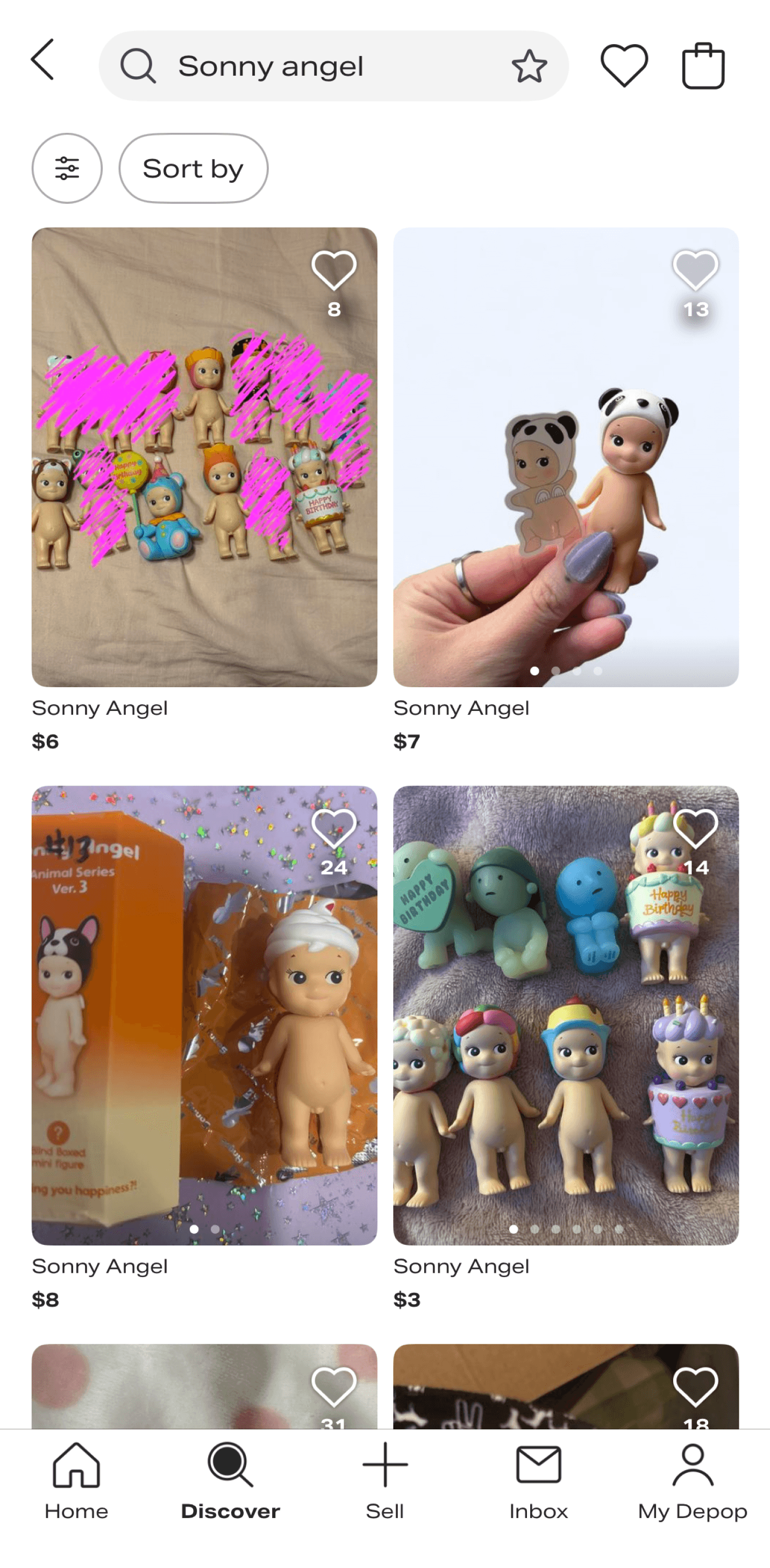
Wishlist UI on item
Top navigation and sorting options
brand name & price present
no seller info
Etsy
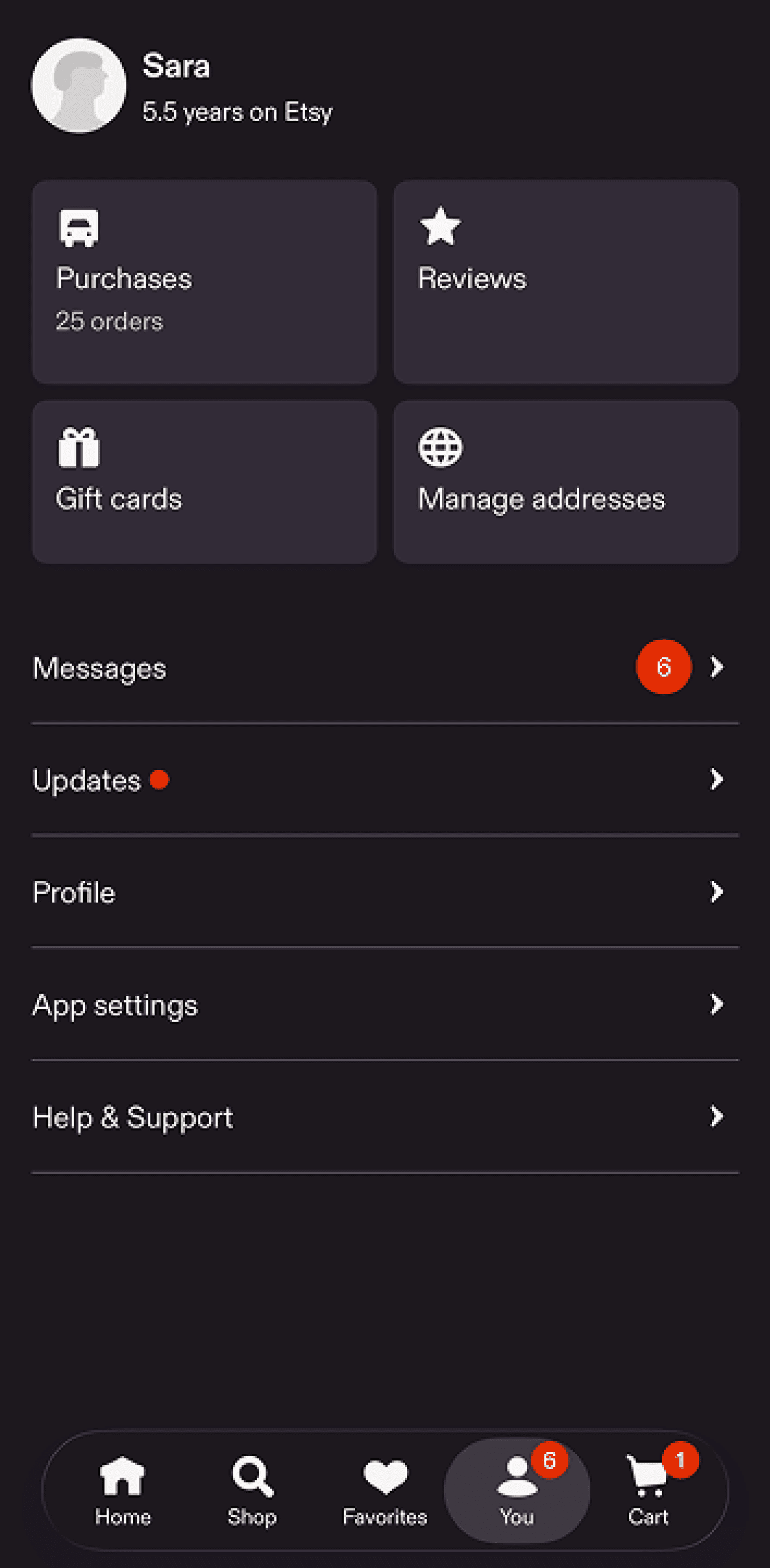
Simplified seller options
Menu-based navigation to subpages
Clear unread messages and notifications
Extensive subpages
Blind boxes are exciting and fun because you never know which item in the collection will be yours. This is also the downside—you might end up with two or more of the same item.
Blind box collectors often resort to Depop, Facebook Marketplace, or Ebay to sell their items. These platforms do not support seamless trading and typically rely on paid transactions.
Color
Primary
Default
Light
Subtle
Darker
Secondary
Default
Light
Subtle
Darker
Success State
Default
Light
Subtle
Darker
Error State
Default
Light
Subtle
Darker
I engineered a semantic color system using Figma variables to map colors to tokens like "Success" and "Error" as well as “dark” and “light.” This logic-based approach automates UI states and ensures a scalable, dev-ready palette.
Typography
Poppins
Quicksand
Download Links
Google Stitch
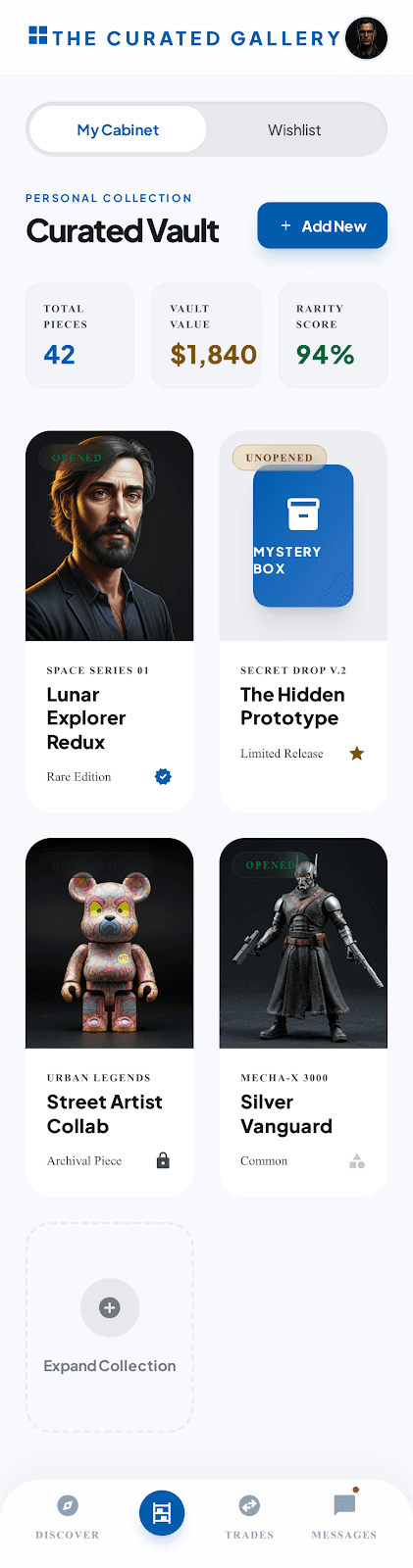
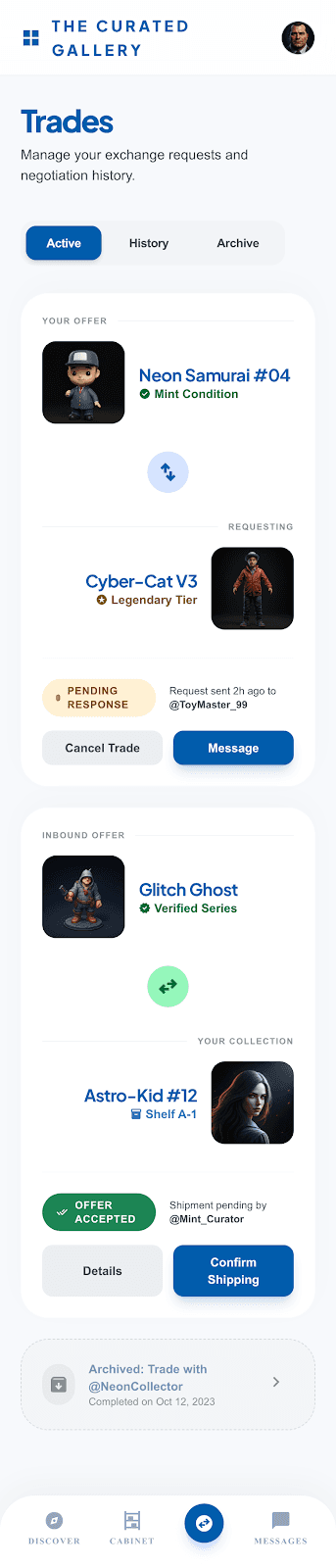
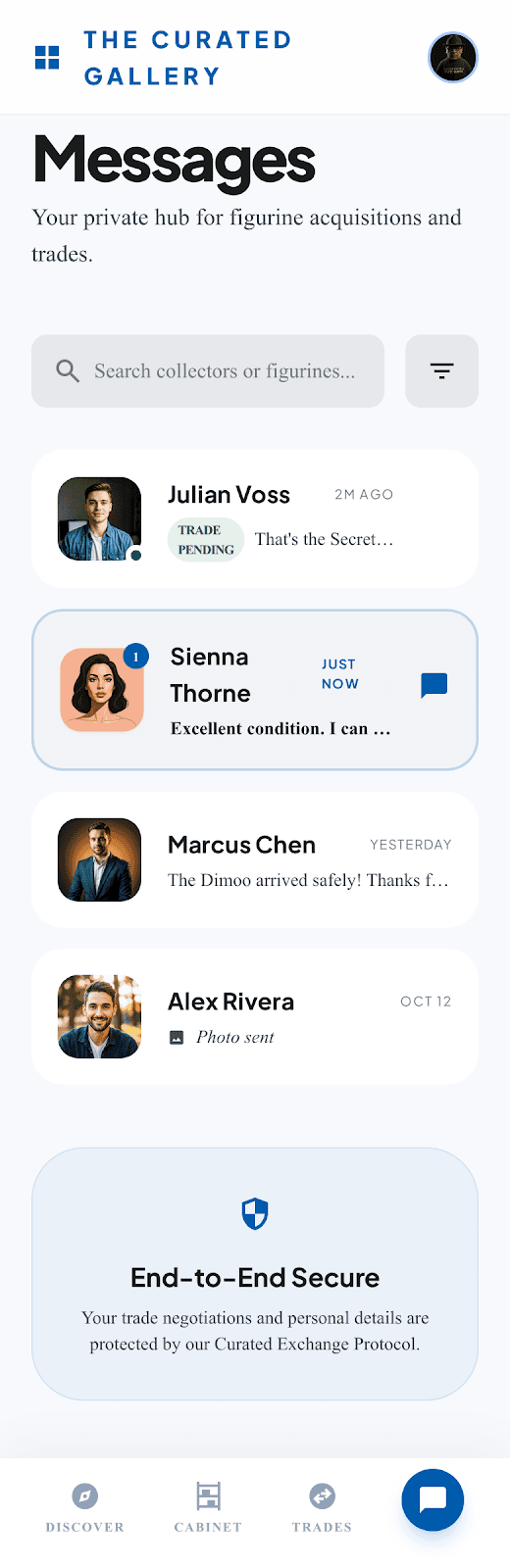
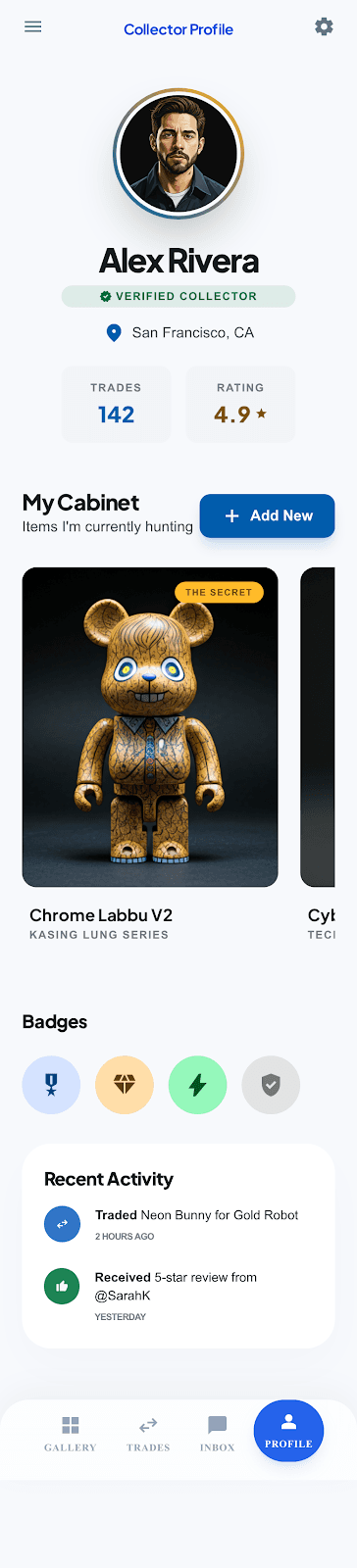
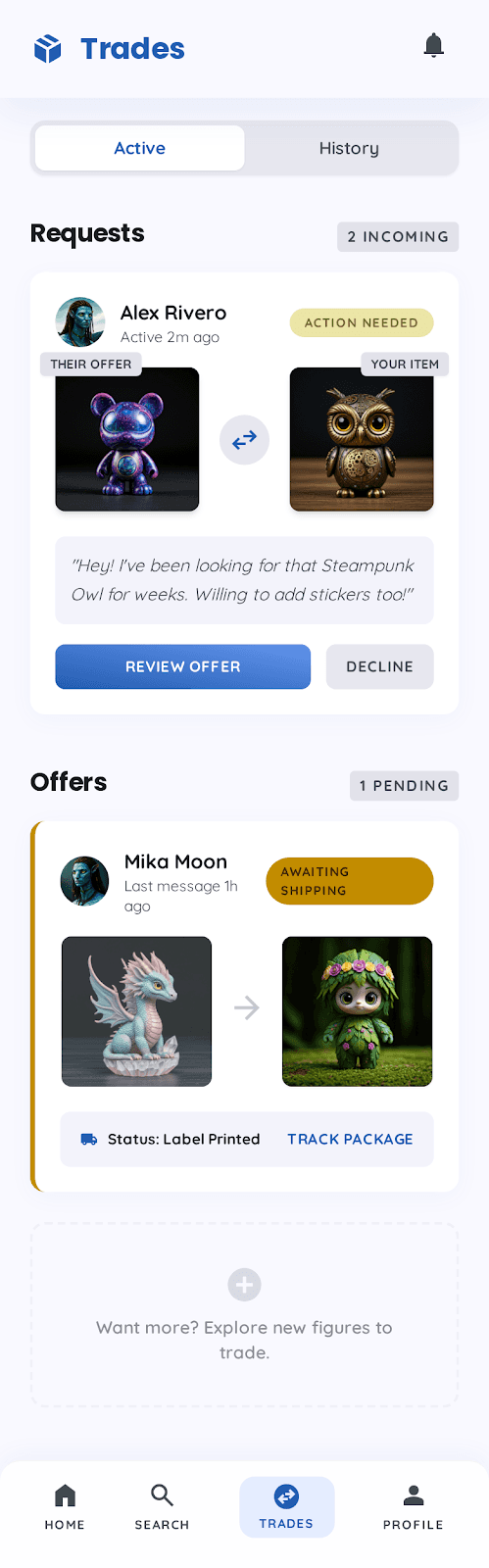
To kickstart the design process, I used Google Stitch to upload my design system elements (project brief, typography, color, and mood board assets) and produce an early draft of the TradeBox design. This process required extensive prompting and adjustments—effectively co-designing with Google Stitch—but saved time in the early decision stages of visual organization and IA.
Prompt: “Help mock up some designs using these assets for my mobile app using these assets”
Round 1


Round 2




Claude
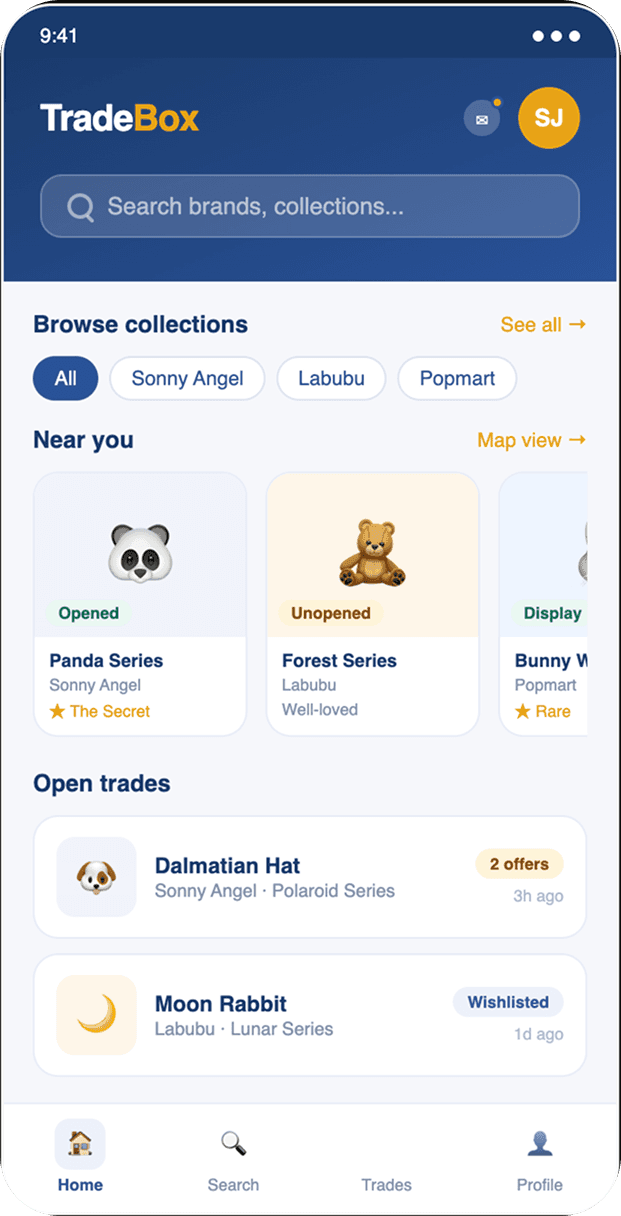
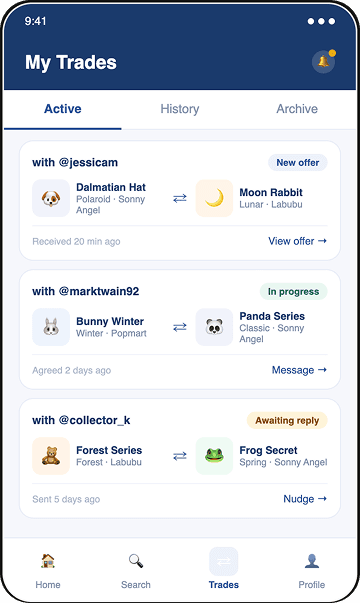
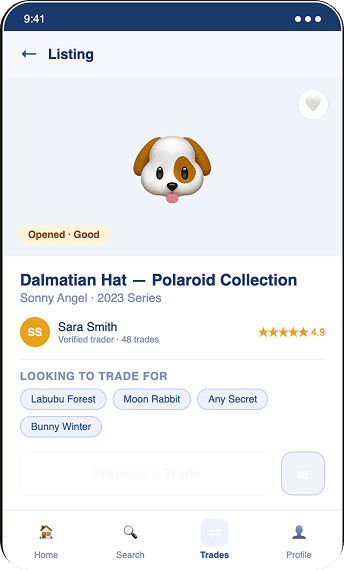
Next up—Claude! To see a different design, I asked Claude the same prompt and provided it with the same design assets.
Prompt: “Help mock up some designs using these assets for my mobile app using these assets”
Round 1
My AI Co-Design Experience
Integrating AI into my workflow served as a powerful design tool. It provided a strong baseline for decision-making, allowing me to skip the blank canvas phase and move immediately into high-value design refinement. This shortened the iteration cycle and let me focus on solving the user problems I identified in competitive analysis, rather than harping on repetitive layout tasks.
Your Cabinet
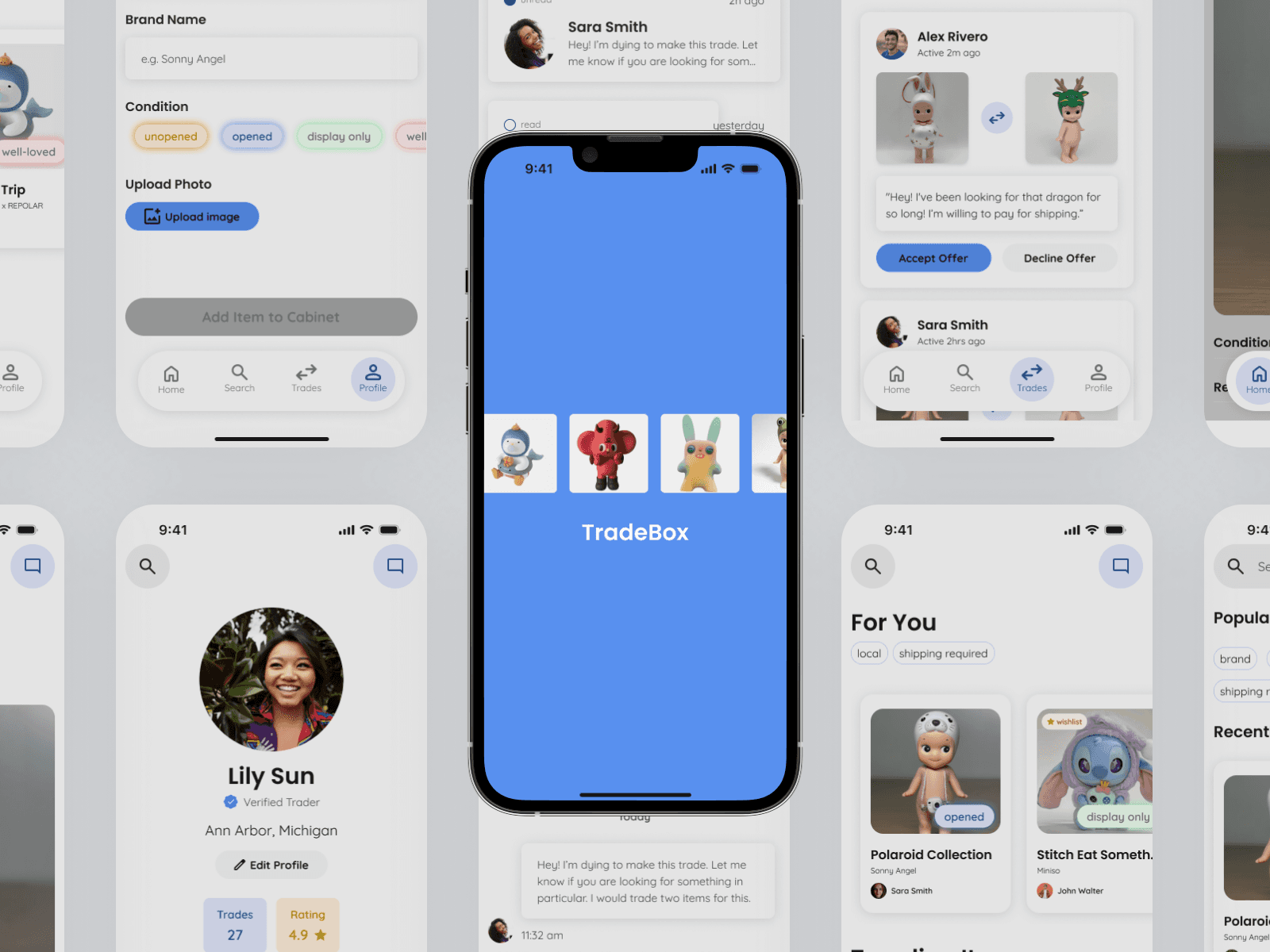
Users organize their collection of items in a “cabinet” for easy access to tradable items in a language and format that aligns with user mental models.
Simple Trades
TradeBox offers an intuitive user flow for making a trade. Communication between traders is streamlined for the no-money-involved system.
Tailored Recs
Personalized recommendations, search history, and menu-based browsing allows users to find items they're most interested in.
Browsing & Trading
Personalized browsing shows users items on their wishlist
Ability to add items to wishlist
Simple trade request flow to choose which item you want to trade from your cabinet
Messaging
Trade page shows overview of previous, current, and active trades
Messaging keeps users informed with trade at the top, improving efficiency
Profile & Cabinet
Profile offers overview and user input for cabinet and wishlist items
Search Optimization
Diverse search filters and default options personalized to user
AI Co-Designing
I treated AI as a collaborative partner—using these tools to generate initial wireframe structures and Information Architecture drafts acted as a high-fi brainstorming session. This AI-assisted workflow allowed me to bypass the cold-start, moving straight into refinement and visual styling.
Design System Instructions
I discovered that the effectiveness of AI co-designing is directly tied to the quality of the input data. By having a pre-defined design system (typography, color tokens, and brand brief), AI was able to leverage my design building blocks. This ensured the generated designs were grounded in my design decisions, allowing for a usable starting point.
Sara Carrier
copyright © 2026